
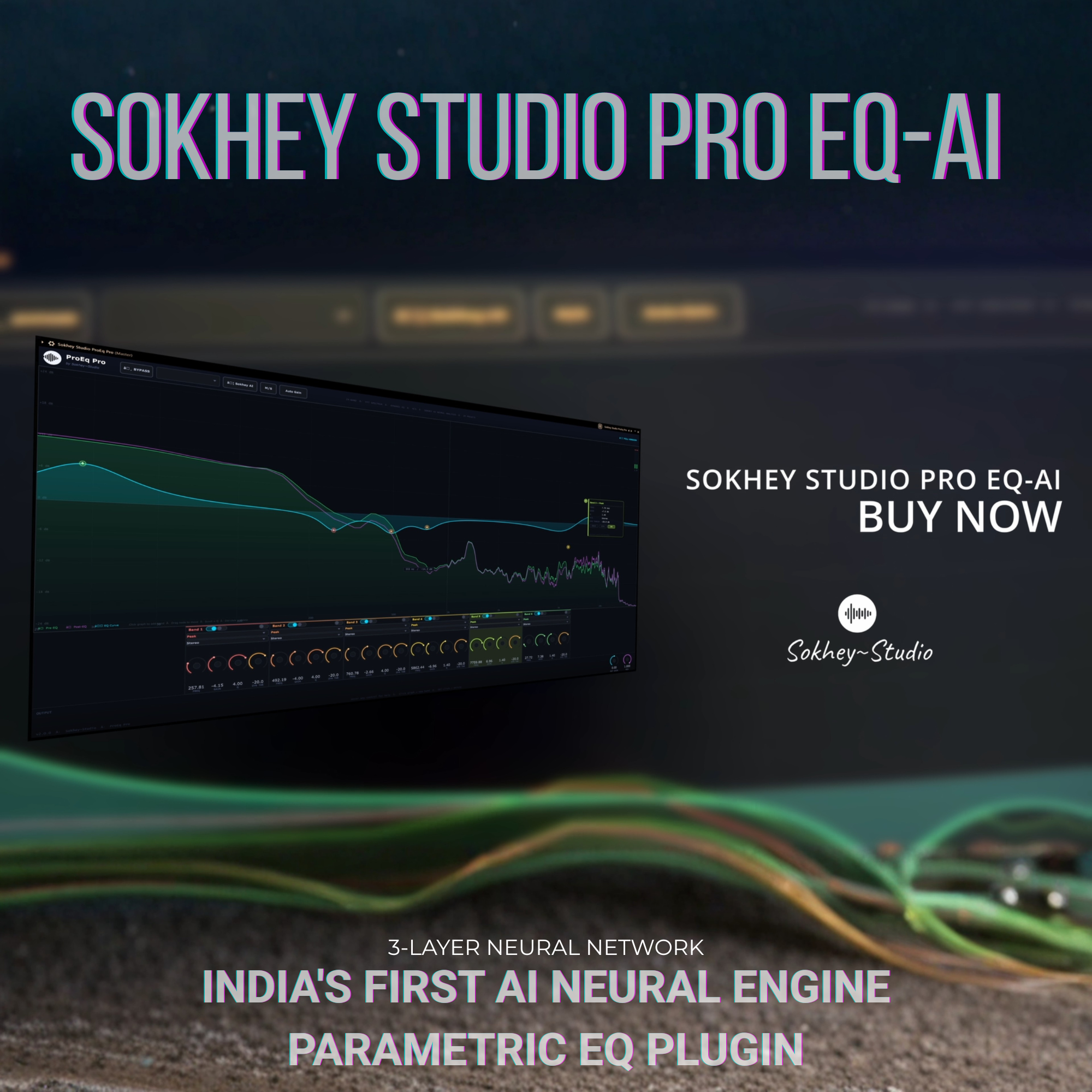
Sokhey Studio Pro EQ-AI
AI-powered parametric EQ plugin
₹3999.00₹1199.00
Sokhey Studio ProEQ AI
The World's Most Intelligent 24-Band Parametric EQ
Mix smarter. Sound better. Let AI do the heavy lifting.
Sokhey Studio ProEQ AI is a professional-grade parametric equalizer with a built-in neural network that thinks like a mix engineer. Whether you're cleaning up a vocal, taming a muddy guitar, correcting room acoustics, or mastering a full track — ProEQ AI hears the problems and fixes them automatically, in real time.
MixMind AI — Neural Intelligence Built In
At the heart of ProEQ AI is MixMind, a 3-layer neural network trained on audio engineering principles. It doesn't just detect peaks — it classifies them the way a seasoned mix engineer would.
Two AI modes, one click:
Subtractive EQ — Play your audio for 2 seconds, click the button. MixMind listens, analyses the frequency spectrum, and automatically places precision cuts for every problem it finds. No guessing. No sweeping. Just results.
Tame Audio — The full mastering-grade correction. MixMind runs the subtractive analysis and analyses your overall spectral balance, then applies corrective shelves and broad adjustments to balance the entire sound — like having a mastering engineer in your plugin.
MixMind detects 7 problem categories:
Problem | Frequency Range | What it sounds like |
|---|---|---|
Boom | 20–200 Hz | Overwhelming low end, muddy bass |
Muddy | 200–600 Hz | Thick, unclear low-mids |
Boxy | 400–900 Hz | Honky, nasal, hollow sound |
Harsh | 1.5k–5 kHz | Fatiguing upper-mids, ear pain |
Sibilant | 5k–12 kHz | Hissing S sounds, brightness |
Whistle | Any frequency | Sharp tonal ring or resonance |
Resonant | Any frequency | Broad frequency bump |
Cut Intensity: Choose Soft (40%), Medium (70%), or Hard (100%) before analysis — right inside the analysis window — to control how aggressively the AI corrects.
Instrument Awareness (Tame Audio): MixMind detects what you're working on — Vocal, Guitar, Bass, Drums, Keys, or Mix Bus — and applies instrument-specific EQ enhancements on top of the corrective cuts. A vocal gets a high-pass, de-boxy cut, presence boost, and air shelf. A bass gets sub-punch, mud reduction, and honk control. All automatically. You can also manually select the instrument type for full control.
24-Band Parametric EQ
Full professional 24-band EQ with every filter type you need:
High Pass — 12 dB/oct slope (2-pole cascaded)
Low Shelf — Gentle tonal shaping of the low end
Peak / Bell — Surgical precision at any frequency
High Shelf — Add air and brilliance
Low Pass — 12 dB/oct roll-off
Notch — Deep, narrow cuts for resonance removal
Band Pass — Isolate a frequency range
Tilt Shelf — Gently tilt the entire frequency balance
Q range: 0.1 to 20 — from ultra-wide mastering curves to surgical notch cuts at Q 14 for whistle removal.
Gain range: ±24 dB per band.
Interact directly on the spectrum: Click to add a band, drag left/right to change frequency, drag up/down to change gain, scroll wheel to adjust Q. Right-click or double-click a node to delete it.
Real-Time FFT Spectrum Analyser
See exactly what your audio is doing — before and after the EQ — in real time.
Pre-EQ spectrum (green) and Post-EQ spectrum (purple) displayed simultaneously
Peak-hold indicators show transient energy
EQ curve rendered using exact biquad transfer function mathematics — what you see is precisely what you hear
30 Hz refresh rate for smooth, responsive display
Frequency grid: 20 Hz to 20 kHz with dB markers from ±24 dB
Hover hint: shows exact frequency and dB value under your cursor
Right-Side Gain Faders
Inspired by FL Studio's Parametric EQ2, ProEQ AI includes a precision fader panel on the right side of the spectrum display.
Every active band gets its own vertical fader:
Drag up/down for fast gain changes — 1 pixel = 0.4 dB precision
Scroll wheel for ultra-fine adjustments
dB scale with ±24 dB range visible at a glance
Colour-coded by band, with live gain readout while dragging
Linear Phase EQ
Toggle Lin Phase in the header to switch from minimum-phase IIR biquad processing to latency-compensated FIR convolution.
Linear Phase EQ delivers:
Zero phase distortion — no bass smear, no transient pre-ringing artefacts
Perfectly preserved stereo imaging — ideal for mastering and mix bus work
8192-point FIR kernel computed from your exact band settings in real time
~93ms latency automatically reported to your DAW for transparent Plugin Delay Compensation (PDC)
Best for: mastering, mix bus, vocals, any context where phase accuracy matters.
Dynamic EQ
Turn any band into a frequency-targeted compressor — it reacts to the incoming signal level and only cuts when needed.
Per-band Dynamic EQ:
Each band has its own DYN button and threshold knob (−60 to 0 dBFS)
When the signal at that frequency exceeds the threshold, the cut activates
Perfect for de-essing, taming resonances that only appear on loud notes, and reactive room correction
Global Dynamic EQ:
One click enables dynamic mode across all active bands simultaneously
Turns your entire 24-band EQ into a fully dynamic system instantly
Great for mastering chains where you want gentle, signal-reactive correction
Tube & Console Saturation
Add analog character and harmonic warmth with the built-in saturation engine.
Tube Mode — Even-harmonic saturation modelled after valve amplifiers:
Smooth, musical soft-clipping
Adds 2nd harmonic content for warmth and body
Makes digital recordings feel alive and three-dimensional
British Console Mode — Transformer-style coloration inspired by the legendary console channel strip:
Odd-harmonic saturation for grit and weight
Gives mixes that sought-after "console glue"
Adds presence and punch without harshness
Drive knob: 0 = completely transparent, 10 = heavily coloured. Gain-compensated so loudness stays consistent as you add saturation.
Mid/Side Processing
Full M/S encoding and decoding built in:
Global M/S mode: Process the Mid (centre) and Side (stereo width) channels independently
Per-band M/S routing: Set each band to affect Stereo, Mid Only, or Side Only — cut mud from the centre while leaving the sides untouched, or add air only to the stereo width
Auto Gain
Never be fooled by louder sounding better. ProEQ AI's Auto Gain continuously measures the input/output RMS difference and compensates — so your EQ decisions are based on tone, not volume.
20 Factory Presets
Professionally designed starting points for every situation:
Punchy Drums · Punchy Snare · Acoustic Guitar · Electric Guitar · Vocal Presence · Female Vocal · Male Vocal · Bass Guitar · Warm Mix Bus · Air & Presence · Vintage Telephone · Vinyl / Lo-Fi · Radio Broadcast · Hip-Hop Bass · Dance / EDM · Classical Orchestra · Piano Enhancement · Podcast / Voice · Mastering Gentle · Flat
Technical Specifications
Spec | Detail |
|---|---|
Format | VST3 (Windows & macOS) · AU (macOS / Logic Pro) · AAX (Pro Tools, sold separately) |
Bands | 24 fully independent parametric bands |
Filter types | HP · LS · Peak · HS · LP · Notch · BP · TiltShelf |
Q range | 0.1 – 20.0 |
Gain range | ±24 dB per band |
AI engine | 3-layer neural network, 10 psychoacoustic features, 7 problem classes |
FFT size | 2048 (display) · 8192 (AI analysis) · 8192 (Lin Phase FIR) |
Lin Phase latency | ~93 ms (PDC compensated) |
Spectrum refresh | 30 Hz |
Platform | Windows 10/11 (64-bit) · macOS 10.13+ |
Download size | 3.4 MB |
License | Single user, 2 activations |
System Requirements
Windows: Windows 10 / 11 · 64-bit · VST3-compatible DAW (Ableton Live, FL Studio, Cubase, Reaper, Studio One, Bitwig, Cakewalk, and all others)
macOS: macOS 10.13 or later · Logic Pro, GarageBand, MainStage (AU) · Any VST3 DAW
RAM: 512 MB minimum · CPU: Any modern multi-core processor
Sokhey Studio ProEQ AI — Copyright © 2024 Sokhey Studio. All rights reserved.